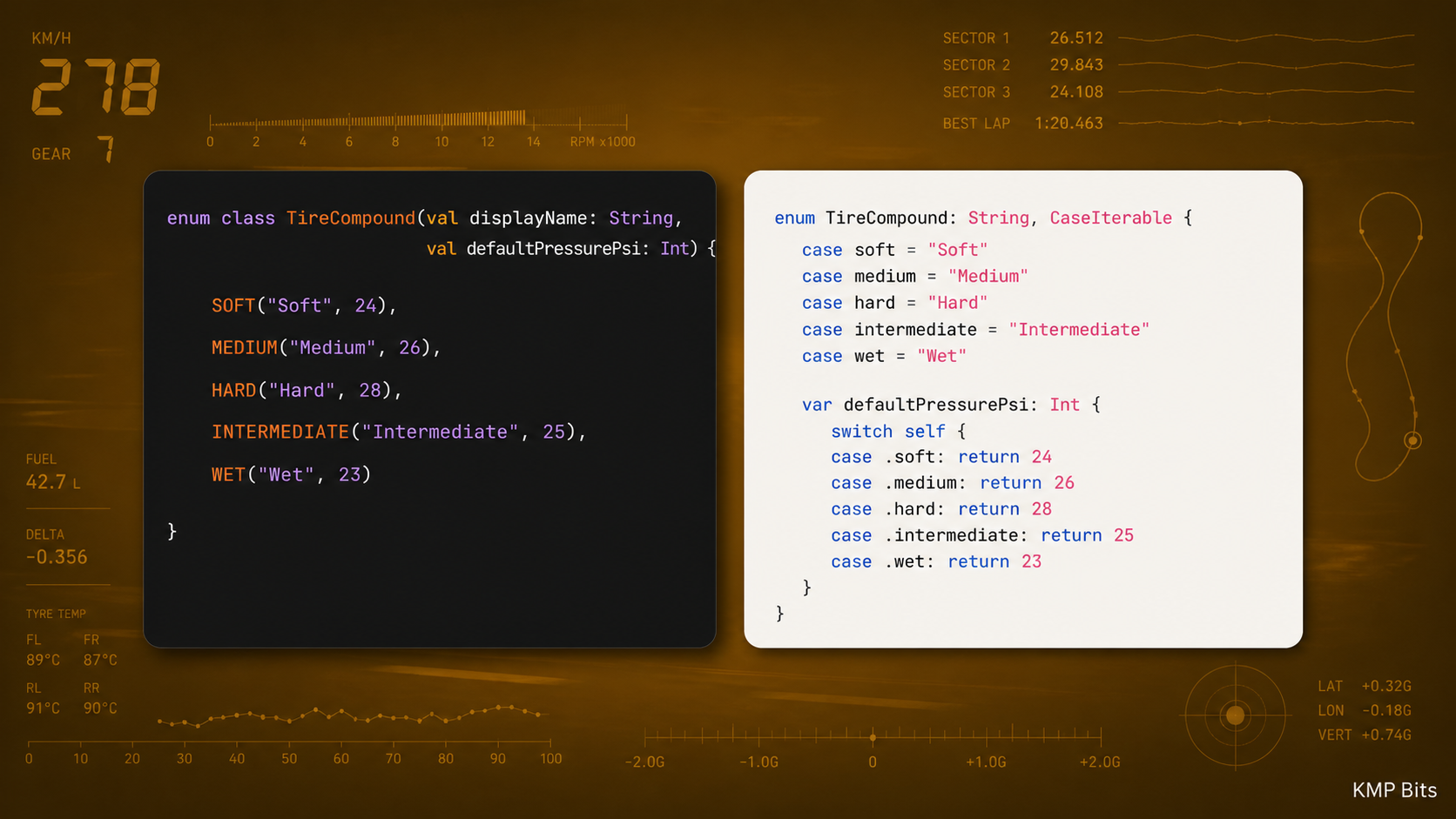
In a GT3 race, every car runs a pit board system and a live telemetry link in parallel. The pit board works. Numbers go up, the driver reads them, information passes. But the format is lossy: handwritten lap times, manual codes, sometimes a shrug when something doesn’t fit. The telemetry dashboard in the cockpit is different. Typed values, structured channels, labeled data. The engineer sends TYRE_COMPOUND = SOFT and the driver reads it as a type, not a number and a mental lookup table.
I had a version of that lookup table problem in my KMP project for a long time. My shared Kotlin module exposed a Status enum: Loading, Success, Error. On Android it was a proper Kotlin enum, clean to use in a when expression. On the Swift side, it arrived as a class with three static let values. The compiler had no idea they were exhaustive. I wrote my own Swift wrapper. I added a comment explaining why. Six months later I had to explain it again to a teammate who wanted to know why we were mapping a thing to a thing that meant exactly the same thing.
Kotlin 2.3.0 shipped Swift Export with proper enum support. That lookup table is gone. This article covers the before, the after, and the things you need to know before you flip the switch.
What Swift Export Is
The traditional path from KMP to iOS goes through an Objective-C umbrella framework. Kotlin compiles to a .framework with Objective-C headers, Xcode consumes those headers, and Swift translates at the call site. It works. It’s also lossy: Kotlin enums arrive as classes with static instances, Kotlin default parameters disappear entirely, and you end up writing Swift adapters to recover what the translation dropped.
Swift Export replaces that path with a direct Kotlin-to-Swift compiler stage. The output is a Swift module, not an Objective-C header file. Enums arrive as real Swift enums. Variadics work. Sealed classes still export as open class hierarchies on the Swift side, so exhaustive pattern matching isn’t there yet, but the properties arrive typed and named correctly without any adapter in between.
(If you’re setting up a KMP project from scratch, the KMP project creation guide covers the initial Gradle structure and tooling.)
Enabling It
Two changes: the export block in your shared module, and a task swap in Xcode.
Configure the export block. The @OptIn is required because the DSL is still experimental API — without it the block is silently ignored:
// shared/build.gradle.kts
import org.jetbrains.kotlin.gradle.swiftexport.ExperimentalSwiftExportDsl

kotlin {
    iosArm64()
    iosSimulatorArm64()

    @OptIn(ExperimentalSwiftExportDsl::class)
    swiftExport {
        // The Swift module name Xcode will import
        moduleName = "Shared"

        // Strips the package prefix from generated Swift names
        // com.yourapp.shared.auth.AuthRepository -> Shared.AuthRepository
        flattenPackage = "com.yourapp.shared"
    }
}
In Xcode, find the “Run Script” build phase that references embedAndSignAppleFrameworkForXcode and replace it:
# Xcode Run Script build phase — replace the old embed task
export JAVA_HOME="/Applications/Android Studio.app/Contents/jbr/Contents/Home"
cd "$SRCROOT/.."
./gradlew :shared:embedSwiftExportForXcode
The JAVA_HOME line matters. Xcode runs this script with system Java, and if your system Java is newer than what AGP supports, the Gradle task fails silently and Swift compilation reports “No such module ‘Shared’” with no mention of the real cause. Pointing to Android Studio’s bundled JDK avoids that entirely.
That’s it. From this point, Xcode imports a Swift module, not an ObjC framework.
The first build takes longer. Gradle generates and compiles the Swift files. Subsequent incremental builds are noticeably faster, and you get that time back within a day of normal development.
Enums That Feel Like Swift
This is the change I cared about most. A Kotlin enum:
// commonMain/domain/Status.kt
enum class Status {
    Loading,
    Success,
    Error
}
Under the old ObjC bridge, the Swift side looked like this:
// iosApp/SomeView.swift — before Swift Export
let status = viewModel.status

// No exhaustive switch — the compiler treats this as a class, not an enum
if status == Status.loading {
    ProgressView()
} else if status == Status.success {
    ContentView()
} else {
    ErrorView()
}
That else at the end is the tell. The compiler doesn’t know there are only three cases.
SKIE solved this problem long before Swift Export existed. It’s a Kotlin compiler plugin from Touchlab that generates proper Swift wrappers for the Kotlin types: enums as enums, sealed classes with exhaustive pattern matching, the works. If you’re already using SKIE on an existing project, the enum experience is already good. Swift Export’s value here isn’t unlocking something impossible; it’s removing the plugin dependency. Same result, one less thing to maintain.
With Swift Export, the same Kotlin enum arrives as a real Swift enum. Here’s the full view from the demo:
// iosApp/ContentView.swift
import SwiftUI
import Shared

struct EnumDemoView: View {
    @State private var status: Status = .Loading

    var body: some View {
        VStack(spacing: 32) {
            statusCardView

            VStack(spacing: 12) {
                Button("Set Loading") { status = .Loading }
                Button("Set Success") { status = .Success }
                Button("Set Error") { status = .Error }
            }
        }
    }

    @ViewBuilder
    private var statusCardView: some View {
        // Exhaustive switch — no default needed
        switch status {
        case .Loading:
            ProgressView()
        case .Success:
            Image(systemName: "checkmark.circle.fill")
                .foregroundStyle(.green)
        case .Error:
            Image(systemName: "xmark.circle.fill")
                .foregroundStyle(.red)
        }
    }
}
No default fallback. No adapter file. If I add a Cancelled case to the Kotlin enum, the Swift switch breaks at compile time — exactly the guarantee a native Swift enum gives you.
One thing to note: enum cases keep their Kotlin capitalization. Swift Export doesn’t lowercase them the way SKIE does, so it’s .Loading, not .loading. If you’re migrating from SKIE, that will break your call sites.
I deleted the wrapper the first day I had this working. That felt good.
Variadic Functions
Kotlin 2.3.0 also maps vararg parameters to Swift variadic syntax. Before, a Kotlin function like this:
// commonMain/utils/Logger.kt
fun log(tag: String, vararg messages: String) {
    messages.forEach { println("[$tag] $it") }
}
…arrived in Swift as a function that took an array. You wrapped every call in []. With Swift Export, it’s a proper variadic:
// iosApp — after Swift Export
Logger.shared.log(tag: "Auth", messages: "token refreshed", "user updated")
// previously: Logger.shared.log(tag: "Auth", messages: ["token refreshed", "user updated"])
A small thing, but it’s exactly the kind of friction that compounds across a codebase.
Connecting a ViewModel
Here’s a complete example: a shared class consumed in both SwiftUI and Android, using the new enum support.
The shared side is a plain class with no framework dependency:
// commonMain/weather/WeatherViewModel.kt
class WeatherViewModel {
    private var _state: WeatherState = WeatherState.Loading
    val state: WeatherState get() = _state

    fun load(city: String) {
        _state = WeatherState.Success(
            temperature = 22.5,
            condition = "Sunny",
            city = city
        )
    }

    fun simulateError(city: String) {
        _state = WeatherState.Error(message = "Could not reach $city")
    }

    fun reset() {
        _state = WeatherState.Loading
    }
}

sealed class WeatherState {
    object Loading : WeatherState()
    data class Success(val temperature: Double, val condition: String, val city: String) : WeatherState()
    data class Error(val message: String) : WeatherState()
}
No ViewModel() inheritance here. That’s intentional: if you add androidx.lifecycle:lifecycle-viewmodel to commonMain, Swift Export pulls the entire dependency into its export process. The lifecycle library has generic APIs that the Swift Export compiler can’t handle, and the build fails with a type inference error in the generated wrapper. Keeping the shared class plain avoids that entirely.
Each platform wraps it as needed. On Android, a thin ViewModel subclass in the app module:
// composeApp/androidMain/WeatherAndroidViewModel.kt
import androidx.lifecycle.ViewModel

class WeatherAndroidViewModel : ViewModel() {
    private val delegate = WeatherViewModel()

    val state: WeatherState get() = delegate.state

    fun load(city: String) = delegate.load(city)
    fun simulateError(city: String) = delegate.simulateError(city)
    fun reset() = delegate.reset()
}
(For the full pattern of bridging StateFlow to Swift, including the coroutine collector wrapper, I covered it in detail in the StateFlow in KMP article. The mechanism is the same here.)
On this demo I didn’t use Flows, I exposed the state directly because it’s not the focus of this article. This is not the best practice, you must use
StateFlowon a real app.
A quick note: Flows like
StateFlow,SharedFloware not yet part of Swift Export’s stable output. You still need a coroutine wrapper to consume them from Swift. KMP-NativeCoroutines already documents Swift Export compatibility and handles this cleanly. The enum and sealed class improvements apply to all exported types, but async types still need extra tooling.
The SwiftUI side needs its own wrapper too. WeatherViewModel is a plain Kotlin class, and Swift Export doesn’t generate ObservableObject conformance, so SwiftUI can’t use it as a @StateObject directly. A thin Swift wrapper is the fix:
// iosApp/WeatherView.swift
import SwiftUI
import Shared

class WeatherViewModelWrapper: ObservableObject {
    private let viewModel: WeatherViewModel

    @Published var state: WeatherState

    init() {
        let vm = WeatherViewModel()
        viewModel = vm
        state = vm.state
    }

    func load(city: String) {
        viewModel.load(city: city)
        state = viewModel.state
    }

    func simulateError(city: String) {
        viewModel.simulateError(city: city)
        state = viewModel.state
    }

    func reset() {
        viewModel.reset()
        state = viewModel.state
    }
}

struct WeatherView: View {
    @StateObject private var viewModel = WeatherViewModelWrapper()
    private let city = "Lisbon"

    var body: some View {
        NavigationStack {
            VStack(spacing: 32) {
                stateCardView
                    .frame(maxWidth: .infinity)
                    .padding()
                    .background(Color(.secondarySystemBackground))
                    .cornerRadius(12)

                VStack(spacing: 12) {
                    Button("Load weather") { viewModel.load(city: city) }
                        .buttonStyle(.borderedProminent)
                    Button("Simulate error") { viewModel.simulateError(city: city) }
                        .buttonStyle(.bordered)
                        .tint(.red)
                    Button("Reset") { viewModel.reset() }
                        .buttonStyle(.bordered)
                }
            }
            .padding()
            .navigationTitle("Sealed Class")
        }
    }

    @ViewBuilder
    private var stateCardView: some View {
        if viewModel.state is WeatherState.Loading {
            VStack(spacing: 8) {
                ProgressView()
                Text("Loading…").foregroundStyle(.secondary)
            }
            .padding()
        } else if let success = viewModel.state as? WeatherState.Success {
            VStack(spacing: 8) {
                Image(systemName: "sun.max.fill")
                    .font(.system(size: 48))
                    .foregroundStyle(.yellow)
                Text("\(success.temperature, specifier: "%.1f")°C")
                    .font(.largeTitle.bold())
                Text(success.condition)
                    .foregroundStyle(.secondary)
            }
            .padding()
        } else if let error = viewModel.state as? WeatherState.Error {
            VStack(spacing: 8) {
                Image(systemName: "exclamationmark.triangle.fill")
                    .font(.system(size: 48))
                    .foregroundStyle(.red)
                Text(error.message)
                    .foregroundStyle(.red)
                    .multilineTextAlignment(.center)
            }
            .padding()
        }
    }
}
The wrapper is the only boilerplate. The data class properties — success.temperature, success.condition, success.city, error.message — arrive typed and named correctly on the Swift side. No unwrapping, no adapter, no comment explaining why the mapping exists.
Gotchas
1. It’s still experimental in 2.3.0. The Gradle flag enables it, but JetBrains is explicit that some edge cases aren’t covered. Extension functions on external types, certain generic bounds, and suspend functions have limitations. Check the official docs before assuming something will export cleanly.
2. Coroutines and Flows still need tooling. Swift Export handles data types well. Anything that involves suspending or streaming needs KMP-NativeCoroutines, SKIE or an equivalent wrapper. The enum improvements don’t touch that layer.
3. flattenPackage is a breaking change on existing projects. If your iOS engineers have been importing your framework and referring to SharedAuthAuthRepository, switching to AuthRepository via flattenPackage will break their code. Worth planning a migration step if this isn’t a greenfield project.
4. One integration path per module. Once you enable Swift Export for a module, that module’s Xcode integration uses the new path. You can keep other modules on the ObjC bridge if needed, but don’t try to consume the same module through both approaches.
5. The first build is slow. Budget 3-5 extra minutes on the first run after enabling Swift Export. Subsequent incremental builds are faster than the old path, so you recoup the time quickly.
When I Built the Demo
I kept notes while building the demo for this article. Here’s what actually broke.
The flag the JetBrains sample still uses. The official swift-export-sample repo has kotlin.experimental.swift-export.enabled=true in gradle.properties. I copied it. Kotlin 2.3.20 responded with: “It is unsupported, please stop using it.” Not deprecated. Unsupported. The swiftExport {} block in build.gradle.kts is enough in 2.3.20. The flag is a leftover from earlier builds and the sample hasn’t caught up yet.
The @OptIn you don’t know you need. The swiftExport {} block requires an opt-in annotation, and if you skip it the block is silently ignored. The task never registers. No error, just nothing. The annotation pulls from a package path that doesn’t match where the source file actually lives, so older documentation points you wrong. The correct import is org.jetbrains.kotlin.gradle.swiftexport:
// shared/build.gradle.kts
import org.jetbrains.kotlin.gradle.swiftexport.ExperimentalSwiftExportDsl

kotlin {
    @OptIn(ExperimentalSwiftExportDsl::class)
    swiftExport {
        moduleName = "Shared"
        flattenPackage = "com.yourapp.shared"
    }
}
“No such module ‘Shared’”. I hit this and spent a while looking at Swift Export configuration before I found the real problem. The Xcode build phase ran, the Gradle task appeared to execute, and then Swift compilation reported that Shared didn’t exist. The module wasn’t missing because of Swift Export. It was missing because the Gradle task failed before it could generate anything.
Xcode runs build phase scripts with the system Java. My system Java was JDK 26. AGP 8.x doesn’t support JDK 26, so the task exited with an error that got swallowed before Swift compilation started. The symptom showed up three steps downstream from the actual failure.
The fix is to pin JAVA_HOME in the build phase script to Android Studio’s bundled JDK, which is a known-good version:
# Xcode Run Script build phase
if [ "YES" = "$OVERRIDE_KOTLIN_BUILD_IDE_SUPPORTED" ]; then
  echo "Skipping Gradle build task invocation due to OVERRIDE_KOTLIN_BUILD_IDE_SUPPORTED environment variable set to \"YES\""
  exit 0
fi
export JAVA_HOME="/Applications/Android Studio.app/Contents/jbr/Contents/Home"
cd "$SRCROOT/.."
./gradlew :shared:embedSwiftExportForXcode
Type names if you’re coming from SKIE. My muscle memory from the ObjC bridge wrote WeatherStateLoading, WeatherStateSuccess, WeatherStateError. Swift Export generates nested types instead: WeatherState.Loading, WeatherState.Success, WeatherState.Error. The Kotlin hierarchy comes through as-is. Enum cases also keep their Kotlin capitalization, so it’s .Loading, not .loading. SKIE lowercases enum cases to match Swift convention. Swift Export doesn’t. If you’ve been using SKIE on an existing project, this will break your Swift call sites the first time you run the migration.
Swift Export exports your dependencies too. I added androidx.lifecycle:lifecycle-viewmodel to commonMain so WeatherViewModel could extend ViewModel(). The build failed immediately: Cannot infer type for type parameter 'T'. Specify it explicitly. in a generated file called AndroidxLifecycleLifecycleViewmodel.kt. Swift Export doesn’t just export your code — it exports the transitive dependencies as well, and the lifecycle library has generic APIs the Swift Export compiler can’t handle.
The fix: keep the shared class plain, and delegate to a platform-specific wrapper. On Android, a ViewModel subclass lives in the app module and wraps the shared class. On iOS, a Swift ObservableObject does the same. Nothing lifecycle-related ever enters the shared module.
Sealed classes and the exhaustive switch. The demo includes a WeatherState sealed class to show that properties arrive typed and named correctly on the Swift side, success.temperature and error.message with no unwrapping layer. But sealed class doesn’t give you what enum gives you. Kotlin sealed class exports to a Swift open class hierarchy. You use is and as?, the compiler doesn’t enforce exhaustiveness, and there’s no switch that breaks at compile time if you add a new subclass. That gap is real and it’s worth knowing before you build your error handling model around it.
Wrapping up
Swift Export doesn’t change what KMP does. It changes how cleanly the output arrives on the iOS side. Kotlin enums are real Swift enums. Sealed classes have proper inheritance. Variadics work. The adapter layer you wrote to compensate for ObjC translation gets smaller, then disappears.
What is still missing: Flows need extra tooling, some generic patterns don’t export cleanly, and the experimental flag is there for a reason. But if your iOS team has been reading from a pit board when they could have a live telemetry feed, Kotlin 2.3.0 is when you hand them the data cable.
The clean line through a corner isn’t always the most obvious one. It’s the one that sets you up for the straight. 🏁
The full demo for this article is available on GitHub.
The KMP Bits app is available on App Store and Google Play — built entirely with KMP.
Comments
Loading comments...