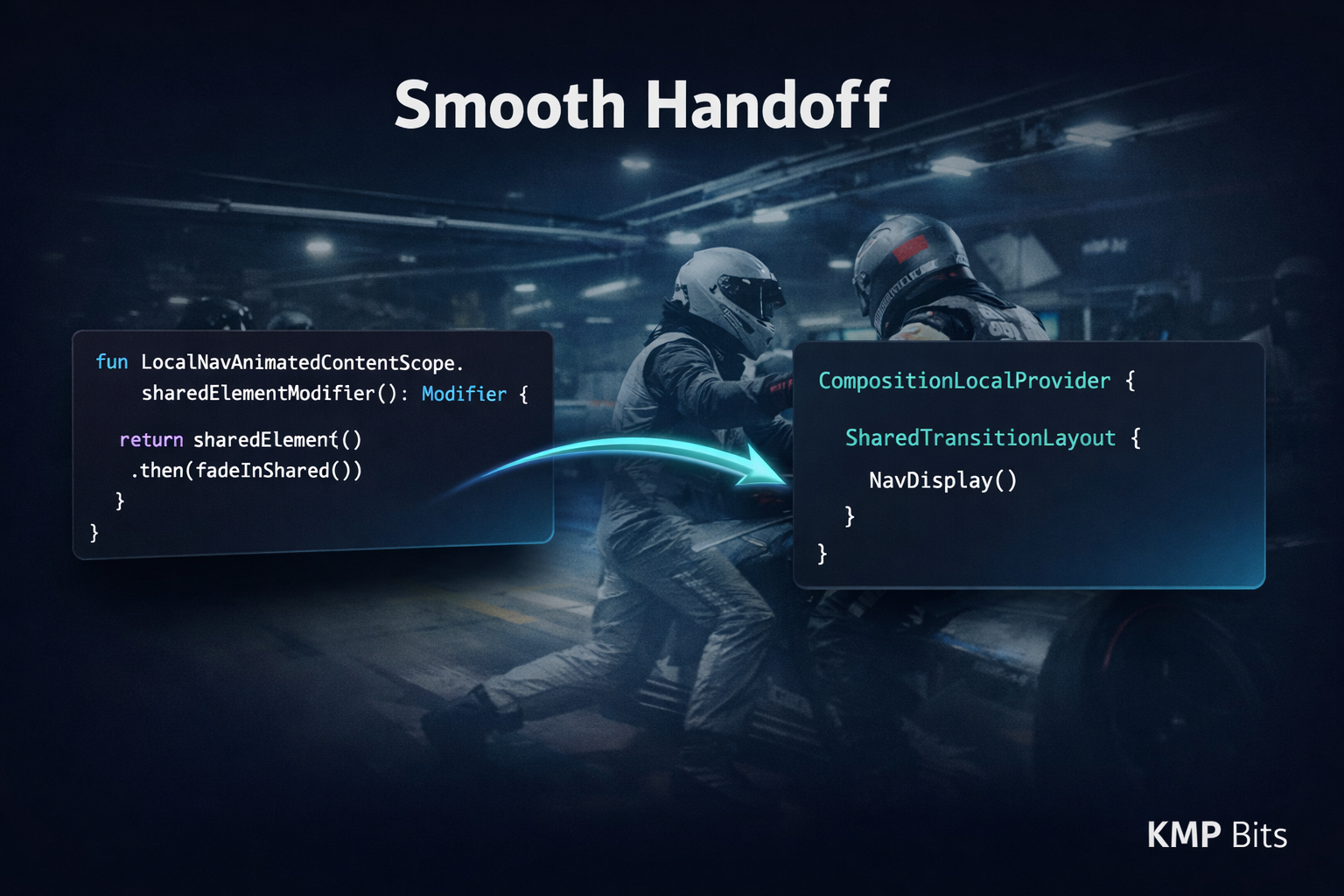
In endurance racing, the driver swap is one of the most underappreciated manoeuvres in the sport. The car pulls into the pit lane, the outgoing driver steps out, the incoming driver drops in, and within seconds the car is back on track. Done well, the momentum barely dies. Done badly, you lose ten seconds and both drivers look confused.
I thought about that when I was building an app. I had Navigation 3 set up, screens were flowing, and I wanted to add shared element transitions. An image from a list item that morphs into the header of a detail screen. The kind of detail that makes an app feel deliberate. I spent an afternoon hunting for the Nav3 equivalent of what I knew from Navigation 2. Found nothing. So I did what any developer does under a deadline: I switched back to Nav2 and shipped.
Months later, while reading through the Navigation 3 source, I found LocalNavAnimatedContentScope.
It had been there the whole time. The smooth handoff was always available. I just did not know where to pick up the baton.
A quick note on the setup
If you read my earlier article on Navigation 3 from the alpha days, a few things have changed. Navigation 3 is now available in Compose Multiplatform via the JetBrains artifact, which targets both Android and iOS from the same shared Kotlin code. That is the version this demo uses.
The Jetpack version hit 1.0.0 stable, but the JetBrains multiplatform artifact tracks slightly behind on version number while following the same API. As of this writing it is still in alpha.
The dependency group is different from the Jetpack version:
# gradle/libs.versions.toml

[versions]
multiplatform-nav3-ui = "1.0.0-alpha06"
kotlinx-serialization = "1.9.0"

[libraries]
jetbrains-navigation3-ui = { module = "org.jetbrains.androidx.navigation3:navigation3-ui", version.ref = "multiplatform-nav3-ui" }
json-serialization = { module = "org.jetbrains.kotlinx:kotlinx-serialization-json", version.ref = "kotlinx-serialization" }
// composeApp/build.gradle.kts
commonMain.dependencies {
implementation(libs.jetbrains.navigation3.ui)
implementation(libs.json.serialization)
}The project needs the serialization dependency, because Navigation 3 serializes the back stack to survive process death, and that requires your route types to be registered. The next section covers that setup.
Defining your routes
Navigation 3 identifies destinations by type, not by string. Each screen gets a class or object that implements NavKey, and that key is what goes onto the back stack. Because Nav3 serializes the back stack across process death, those keys must be @Serializable.
// composeApp/src/commonMain/.../navigation/NavigationRouter.kt

import androidx.navigation3.runtime.NavKey
import kotlinx.serialization.Serializable

interface NavigationRouter : NavKey {

    @Serializable
    data object List : NavigationRouter

    @Serializable
    data class Details(val title: String, val image: String) : NavigationRouter
}
The sealed interface is optional, but it gives you a shared type throughout the app. List carries no data, so it is a data object. Details carries the item title and image identifier, so it is a data class. Nav3 reconstructs these from saved state automatically as long as they are registered, which is where the serialization matters.
That is the whole route layer. No route files, no argument bundles, no NavType registrations. If you came from Navigation 2, this will feel almost too clean. Think of each key as the car’s race number: without it, the coordinator has no way to know which element it is supposed to move.
What NavDisplay is actually doing
When NavDisplay renders a NavEntry, it wraps the content in AnimatedContent. That block has a scope, an AnimatedContentScope, and that scope is exactly what Compose’s shared element API needs to animate an element between two positions on screen.
Navigation 3 exposes it via a CompositionLocal: LocalNavAnimatedContentScope. It lives in androidx.navigation3.ui and is available inside any content block passed to a NavEntry. Outside a NavEntry, accessing it throws, so previews need a guard.
That compositionlocal is the whole mechanism. Everything else is the standard Compose animation API from 1.7. I genuinely spent longer looking for this than I should have, because I assumed there would be some Nav3-specific wrapper. There is not. NavDisplay holds the baton out; LocalNavAnimatedContentScope is how you grab it.
Setting up the transition scope
Shared element transitions in Compose need two things: a SharedTransitionLayout that coordinates the movements, and an AnimatedVisibilityScope that tells each element which transition it belongs to. Navigation 3 gives you the second. You provide the first.
Start with a CompositionLocal for the shared transition scope. This file lives in commonMain so it works on every platform:
// composeApp/src/commonMain/.../LocalSharedTransitionScope.kt

import androidx.compose.animation.ExperimentalSharedTransitionApi
import androidx.compose.animation.SharedTransitionScope
import androidx.compose.runtime.compositionLocalOf

@OptIn(ExperimentalSharedTransitionApi::class)
val LocalSharedTransitionScope = compositionLocalOf<SharedTransitionScope?> { null }
Then wire up the back stack, the shared transition layout, and the navigation entries in MainScreen:
// composeApp/src/commonMain/.../screens/MainScreen.kt

@Composable
fun MainScreen() {
    val configuration = remember {
        SavedStateConfiguration {
            serializersModule = SerializersModule {
                // Register every NavKey subtype for back stack serialization
                polymorphic(NavKey::class) {
                    subclass(NavigationRouter.List::class)
                    subclass(NavigationRouter.Details::class)
                }
            }
        }
    }

    val backStack = rememberNavBackStack(
        configuration = configuration,
        elements = arrayOf(NavigationRouter.List)
    )

    MaterialTheme {
        Scaffold(modifier = Modifier.fillMaxSize()) {
            Box(modifier = Modifier.fillMaxSize().padding(it)) {
                SharedTransitionLayout {
                    CompositionLocalProvider(LocalSharedTransitionScope provides this) {
                        NavDisplay(
                            backStack = backStack,
                            entryProvider = entryProvider {
                                entry<NavigationRouter.List> {
                                    ListScreen(
                                        onClick = {
                                            backStack.add(
                                                NavigationRouter.Details(it.title, it.image)
                                            )
                                        }
                                    )
                                }
                                entry<NavigationRouter.Details> {
                                    DetailsScreen(
                                        title = it.title,
                                        image = it.image,
                                        onBackClick = { backStack.removeLastOrNull() }
                                    )
                                }
                            }
                        )
                    }
                }
            }
        }
    }
}
There are a few things in here worth calling out.
SavedStateConfiguration is where you register the polymorphic serializers for your route types. This is required in the JetBrains CMP artifact because of iOS: the multiplatform back stack serialization needs to know the concrete subtypes of NavKey at runtime. On Android-only Navigation 3, this registration is handled automatically and you can skip it. Skip it here and the app crashes on iOS when a Details route is on the stack. It only crashes then, which means you can miss it in testing and ship the bug.
The entryProvider { } block is the Nav3 equivalent of a NavHost graph. The entry<T> lambda is typed: inside entry<NavigationRouter.Details>, the implicit it is already a NavigationRouter.Details, so you get it.title and it.image without a cast.
Back navigation happens at the call site. There is no onBack callback on NavDisplay. Each entry pops the stack itself via backStack.removeLastOrNull(), which means different screens can handle back differently if you need them to.
The SharedTransitionLayout is the pit wall: it sees every element in the tree and directs their movement during transitions. The CompositionLocalProvider makes its scope reachable from any composable inside the navigation tree without threading it through every function signature.
Both scopes are now in place. The rest is just telling the elements where to go.
Writing the modifier
Two helper modifiers keep the call sites clean. They look nearly identical, but they call different APIs under the hood, and that difference matters more than you might expect.
// composeApp/src/commonMain/.../utils/SharedElementTransitionUtils.kt

@OptIn(ExperimentalSharedTransitionApi::class)
@Composable
fun Modifier.sharedElementModifier(key: Any): Modifier {
    val isPreview = LocalInspectionMode.current
    val sharedTransitionScope = LocalSharedTransitionScope.current
    // LocalNavAnimatedContentScope throws outside a NavEntry — skip in previews
    val animatedContentScope: AnimatedContentScope? =
        if (!isPreview) LocalNavAnimatedContentScope.current else null

    if (sharedTransitionScope == null || animatedContentScope == null) return this

    return with(sharedTransitionScope) {
        this@sharedElementModifier.sharedElement(
            sharedContentState = rememberSharedContentState(key = key),
            animatedVisibilityScope = animatedContentScope
        )
    }
}

@OptIn(ExperimentalSharedTransitionApi::class)
@Composable
fun Modifier.sharedBoundsModifier(key: Any): Modifier {
    val isPreview = LocalInspectionMode.current
    val sharedTransitionScope = LocalSharedTransitionScope.current
    val animatedContentScope: AnimatedContentScope? =
        if (!isPreview) LocalNavAnimatedContentScope.current else null

    if (sharedTransitionScope == null || animatedContentScope == null) return this

    return with(sharedTransitionScope) {
        this@sharedBoundsModifier.sharedBounds(
            sharedContentState = rememberSharedContentState(key = key),
            animatedVisibilityScope = animatedContentScope
        )
    }
}
The LocalInspectionMode guard on both modifiers is not defensive paranoia. LocalNavAnimatedContentScope has no default value by design, so calling it outside a NavEntry throws immediately. That includes every @Preview. One missing guard and every preview in the project breaks. Pit stops go wrong on details like this.
Applying the modifiers
Apply the modifiers on both sides of the transition using the same key. The key is what links the two elements: match it on the list item and on the detail screen, and the coordinator handles the rest.
On the list item:
// composeApp/src/commonMain/.../screens/components/ListItem.kt

Image(
    modifier = Modifier
        .size(30.dp)
        .sharedElementModifier("image_${item.title}"),
    painter = painterResource(imageResource),
    contentDescription = item.title
)

Text(
    modifier = Modifier
        .sharedBoundsModifier("title_${item.title}"),
    text = item.title,
    style = MaterialTheme.typography.titleLarge
)
On the detail screen:
// composeApp/src/commonMain/.../screens/DetailsScreen.kt

Image(
    modifier = Modifier
        .size(100.dp)
        .sharedElementModifier("image_$title"),
    painter = painterResource(imageResource),
    contentDescription = title
)

Text(
    modifier = Modifier
        .sharedBoundsModifier("title_$title"),
    text = title,
    style = MaterialTheme.typography.displayLarge,
    fontWeight = FontWeight.Bold
)
The image grows from 30dp to 100dp during the transition. The text style changes from titleLarge on the list to displayLarge on the detail screen. Nav3 animates both because it found matching keys inside the same SharedTransitionLayout.
sharedElement vs sharedBounds
When I first got this working, I applied sharedElementModifier to both the image and the title text. The image moved cleanly. The title flickered.
sharedElement treats the element as a single object moving through space. It clips the content to its bounds during the transition, which works well for an image or icon where the content is visually consistent between screens. For text, it does not work.
Text between a list item and a detail screen is never quite the same thing. Font size differs, available width changes, line breaks shift. When sharedElement clips text mid-transition, the content briefly disappears. I spent longer debugging this than I care to admit before I understood what was happening.
sharedBounds fixes it by morphing the bounding box while keeping the content visible throughout. The box grows or shrinks to match the destination, but the text inside is never clipped.
Images and icons: sharedElementModifier. Text: sharedBoundsModifier. That is the whole rule.
Things to keep in mind
The key must be unique per visible item. If two items share a key, the coordinator does not know which element to animate and picks arbitrarily. In this demo, the item title doubles as the unique discriminator, so the key is "image_$title". If your data has items with duplicate titles, use a real ID field. This produces no error and no warning. The animation just looks wrong, and you will spend time staring at it before you figure out why.
LocalNavAnimatedContentScope throws outside a NavEntry. The compositionlocal has no default value by design. Accessing it in a @Preview crashes immediately. The LocalInspectionMode.current guard in the modifier above handles this automatically, but if you ever access the scope directly, guard it yourself.
On iOS, shared element transitions are experimental. The @ExperimentalSharedTransitionApi annotation is not decorative. The API is still moving on Compose Multiplatform. It works in practice today, but expect at least one migration when the animation layer stabilises on iOS.
Conclusion
NavDisplay wraps each entry in AnimatedContent. LocalNavAnimatedContentScope exposes that scope to anything inside the entry. SharedTransitionLayout coordinates the movement. The capability was in the library from the start, and wiring it up takes less code than you might expect if you came from Navigation 2.
Use sharedElement for images. Use sharedBounds for text. Keep keys unique per item. Register your route types in SavedStateConfiguration or face a crash on process death that only shows up in production.
The smooth handoff was never missing from the race. I just needed to learn where to stand in the pit lane. 🏁
SwiftUI has its own take on matched geometry transitions. If you want a dedicated article on that approach, let me know.
The full demo for this article is available on GitHub.
The KMP Bits app is available on App Store and Google Play — built entirely with KMP.
Comments
Loading comments...